
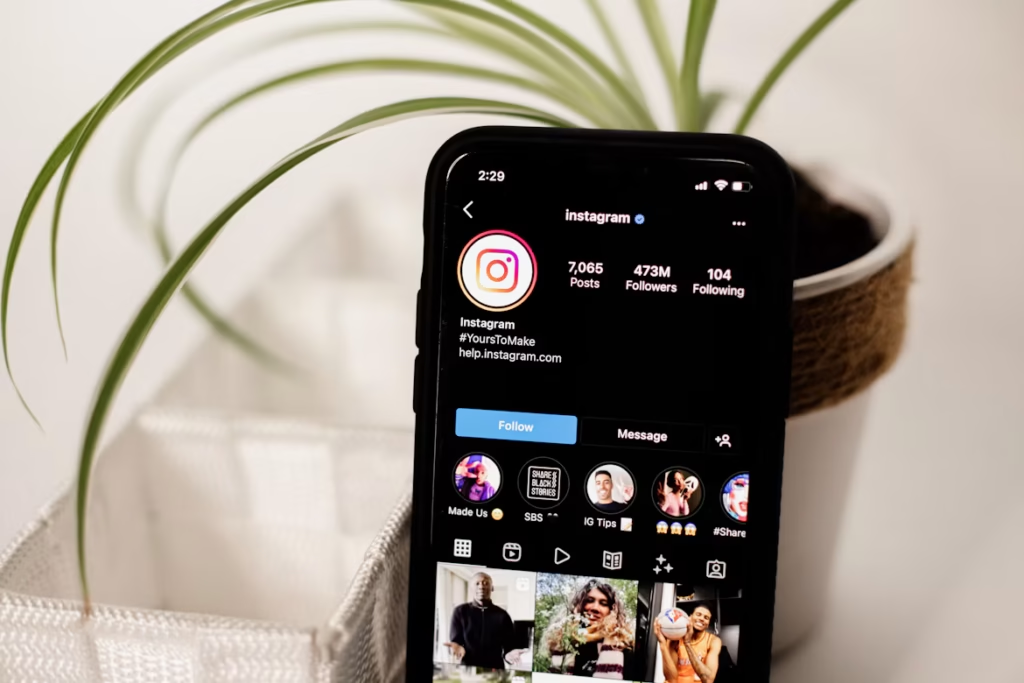
An insta profile viewer is any tool or method that lets you look at an Instagram profile, its posts or its stories, often without logging in. Thousands of people search for one every day, and most of the results are confusing or unsafe.
This guide keeps it simple. You will learn what an insta profile viewer can really do, what it cannot do, and 7 safe ways to view Instagram profiles step by step.
Everything here is checked against Instagram’s own Help Center as of November 2026.
[Featured image: a phone showing an Instagram profile page. Alt text: Insta profile viewer guide showing safe ways to view Instagram profiles]
Quick answer
| Question | Short answer |
|---|---|
| Can an insta profile viewer show public profiles? | Yes. Public posts, reels and highlights are open to everyone. |
| Can it show private profiles? | No. Only approved followers can see private posts. |
| Does the person know you viewed their profile? | No. Instagram does not show profile visitors. |
| Does the person know you watched their story? | Yes, if you are logged in. Your name appears in the viewer list. |
| Are “private viewer” apps safe? | No. Most are scams that steal passwords or money. |
What Is an Insta Profile Viewer?
An insta profile viewer is a website, app or simple method used to open someone’s Instagram profile. People use it to check posts, reels, highlights and stories.
There are two kinds:
- Official ways: the Instagram app and the Instagram website.
- Third-party tools: outside websites that load a public profile for you, usually without a login.
People use an insta profile viewer for normal reasons. Some do not have an Instagram account. Some want to check a brand before buying. Others want to see a public figure’s posts without following them.
How Does an Insta Profile Viewer Work?
A third-party insta profile viewer does nothing magical. It simply fetches the content that is already public and shows it on its own page.
That is why these tools only work on public accounts. If a profile is public, anyone can see its photos and videos. If it is private, the tool has nothing to fetch.
[Image: simple graphic with two boxes, “Public profile: visible to everyone” and “Private profile: followers only”. Alt text: How an insta profile viewer works on public and private Instagram accounts]
Can an Insta Profile Viewer Show Private Accounts?
No. No insta profile viewer can show a private Instagram account, and any tool that promises this is not telling the truth.
Instagram explains in its private account guide that only followers you approve can see your posts once your account is private. Private posts are stored behind Instagram’s login, so an outside website cannot reach them.
Here is what everyone can still see on a private profile:
- Username and name
- Profile picture
- Bio and links
- Number of posts, followers and following
Posts, reels, stories and highlights stay hidden until the owner accepts your follow request.
So what do “private Instagram viewer” sites actually do? Usually one of three things:
- They ask for your Instagram password and take over your account.
- They send you to endless “human verification” surveys that earn them money.
- They ask you to download an app that carries malware or charges a fee.
In all three cases you never see the private profile.
7 Safe Insta Profile Viewer Methods (Step by Step)
These seven methods are safe, free and follow Instagram’s rules. Start with the first one and move down the list if it does not fit your case.
1. Search the Profile in the Instagram App
The official app is the safest insta profile viewer you can use.
- Open the Instagram app and log in.
- Tap the search icon at the bottom.
- Type the username or name.
- Tap the profile to open it.
If the account is public, you will see all posts, reels and highlights.
2. Open the Profile in a Web Browser
You do not need the app to view a public profile.
- Open Chrome, Safari or any browser.
- Type
instagram.com/usernamein the address bar. Replace “username” with the real one. - Press Enter.
The public profile will load. Instagram may ask you to log in after you scroll for a while.
3. Use a Web-Based Insta Profile Viewer for Public Accounts
A third-party insta profile viewer can show public posts and stories without a login. Follow these rules every time:
- Use it only for public accounts.
- Enter only the username you want to view. Never enter your own password.
- Do not download any app, extension or file.
- Leave the site if it asks for a survey, payment or “verification”.
4. Send a Follow Request to a Private Account
This is the only real way to see a private profile.
- Open the private profile.
- Tap Follow. The button changes to Requested.
- Wait for the owner to accept.
Once accepted, you can see their posts and stories like any other follower.
5. Use a Second Account of Your Own
Instagram lets you add more than one account in the same app. Some people keep a separate account for browsing public pages and brands.
- Go to your profile and tap the menu icon.
- Tap Add account, then Create new account.
- Use this account to view public stories.
Use your own details. Do not pretend to be another person, because fake identities break Instagram’s rules.
6. Search Google and Linked Platforms
Public Instagram posts often appear outside Instagram.
- Search Google for the username plus the word “Instagram”.
- Check the Images tab for public photos.
- Look at the person’s linked Threads, Facebook or TikTok profile.
7. Ask a Mutual Follower or the Person
Sometimes the simple way is best. A mutual friend can tell you if the account is the right one. You can also message the person and say why you want to follow them.
[Image: screenshot of the Instagram search screen with a username typed in. Alt text: Using the Instagram app as a safe insta profile viewer]
Risks of Using a Third-Party Insta Profile Viewer
A bad insta profile viewer can cost you your account, your data or your money. Know the main risks before you use one.
| Risk | What happens |
|---|---|
| Phishing | A fake login page copies Instagram and steals your password. |
| Malware | A “viewer app” or browser extension installs harmful software. |
| Survey traps | You complete offers and surveys, but the profile never opens. |
| Hidden charges | The site asks for card details for a “free trial”. |
| Account action | Giving your login to outside apps can get your account locked. |
The US Federal Trade Commission explains how fake pages trick people in its guide on how to recognize and avoid phishing scams. The same warning signs apply to viewer sites.
How to Spot a Fake Insta Profile Viewer
Leave the site at once if you see any of these signs:
- It promises to unlock private accounts.
- It asks for your Instagram username and password.
- It demands “human verification” before showing results.
- It wants you to install an app, APK file or extension.
- It asks for payment or card details.
- The address does not start with
https://.
If you already entered your password, change it right away and turn on two-factor authentication in Instagram’s settings. You can also report the scam at ReportFraud.ftc.gov.
[Image: checklist graphic of the six warning signs. Alt text: Warning signs of a fake insta profile viewer website]
Does Instagram Notify Someone When You View Their Profile?
No. Instagram does not tell anyone that you visited their profile, and it has no list of profile visitors.
Some actions do leave your name behind:
| Action | Does the person see your name? |
|---|---|
| Visiting a profile | No |
| Viewing a post or reel | No |
| Watching a story while logged in | Yes, in the story viewer list |
| Liking or commenting | Yes |
| Tapping Follow by mistake | Yes, they get a notification |
Business and creator accounts can see how many people visited their profile. They still cannot see who those people were.
Apps that claim to show “who viewed my profile” work the same way as fake viewers. Instagram does not share that data with anyone.
How to Protect Your Own Profile From Insta Profile Viewer Tools
If your account is public, any insta profile viewer can display your posts. These steps put you back in control.
- Open your profile and tap the menu icon in the top right.
- Tap Account privacy.
- Turn on Private account and confirm.
- Remove followers you do not know from your followers list.
- Use Close Friends for personal stories.
- Turn on two-factor authentication under Accounts Center.
After this, only people you approve can see your posts and stories.
Privacy settings matter on every app. If you also use Snapchat, read our guide on the Snapchat Best Friends list and who can see it. You can find more social media guides on the Tech Pks homepage.
Frequently Asked Questions
Is using an insta profile viewer legal?
Viewing public content is generally fine, because the owner chose to share it with everyone. Trying to break into a private account, or using someone’s content to harass them, is not. Laws differ by country, so check your local rules.
Can I view Instagram without an account?
Yes. Type instagram.com/username in a browser to open a public profile. Instagram may show a login prompt after some scrolling.
Can I watch Instagram stories anonymously?
Story views show your name when you are logged in. Some web viewers load public stories without a login, so your name is not recorded. This never works for private accounts.
Is there a free tool that shows private Instagram profiles?
No. Only an accepted follow request opens a private profile. Tools that claim otherwise are scams.
Can someone see that I used a viewer on their profile?
No. Instagram does not show profile visits to anyone, whether you use the app, a browser or an outside tool.
What should I do if a viewer site took my password?
Change your Instagram password at once, turn on two-factor authentication, and log out of unknown devices in Accounts Center.
Final Words
An insta profile viewer is useful for one thing: looking at public Instagram profiles. The app and the website do this safely and for free.
For private accounts, a follow request is the only honest route. Stay away from any tool that asks for your password, a survey or a payment, and keep your own account private if you want control over who sees your posts.


Leave a Reply